
Learner journeys change, and financial activity changes with them. Payments can arrive in groups, a learner may withdraw after an invoice has been paid, and a transaction entered in error needs a clear correction. Today’s finance release adds connected workflows to help finance teams manage those events and keep the related records visible.
Bring batch payments into the payment workflow
Manual batches let teams group payment records, create Finance Payments when ready, and allocate them immediately or later. Each payment remains individually available for the usual finance workflows while the batch provides a shared reference point.
Learn more How to Create and Manage Batch Payments

New Zealand providers can import daily StudyLink .PAY files. Wisenet creates the StudyLink batch and payment records together, so teams can match the records to debtors before creating the payments. The original file remains linked to the batch for review and download.
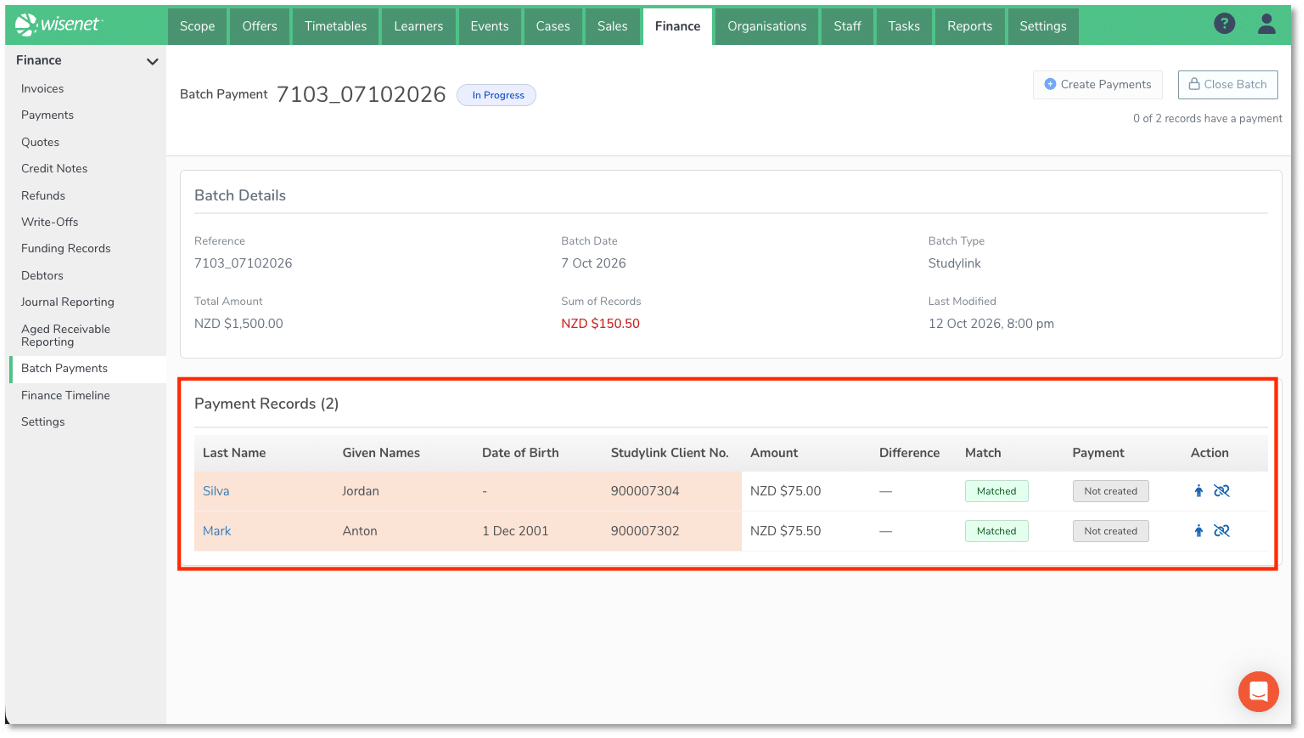
Return StudyLink refunds with the required details
When a StudyLink-funded payment is refunded, the refund can be included in a StudyLink Refund Schedule. Select eligible refunds and download the schedule as a .PAY file to submit to StudyLink. Previously created schedules remain available to view and download again.
Learn more How to Refund StudyLink Payments

Correct transactions and retain their history with reversals
Eligible credit notes, payments, refunds and write-offs can be reversed in full. A reversal records the correction and remains connected to the original transaction in finance timelines and Journal Reporting. Invoices cannot be reversed; use a credit note to correct an invoice. Reversal date and transaction eligibility rules apply.
Learn more Reversals
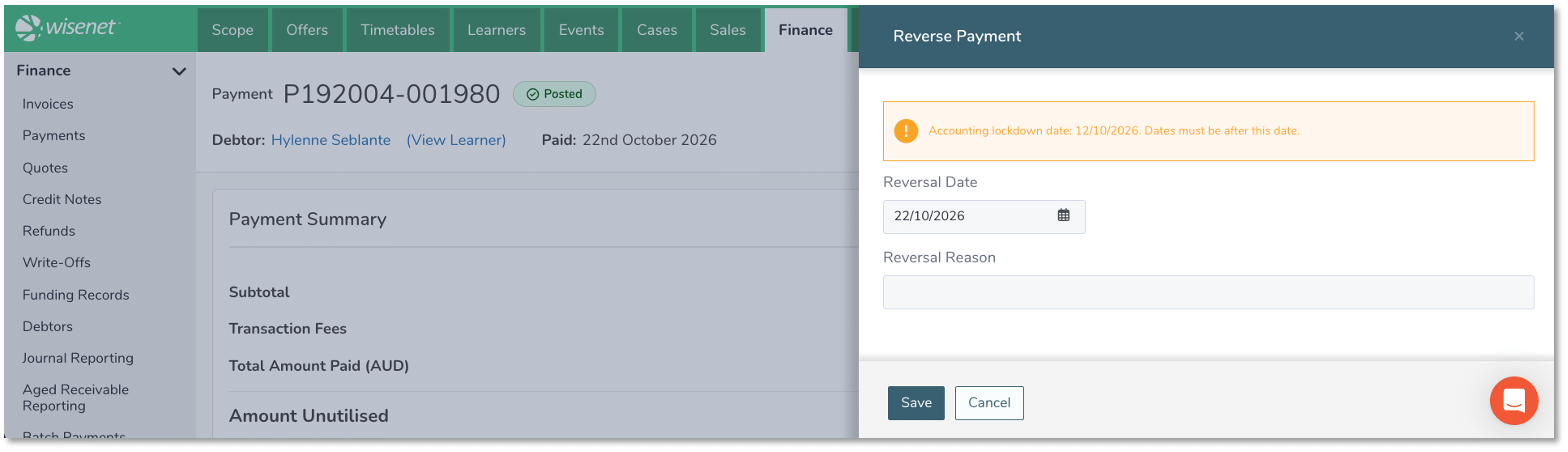
See finance activity in context
Each finance record has its own timeline. The Finance Timeline brings recorded activity across records into one view, with filters for date, finance item type, user and debtor, plus CSV export.
Batches appear in the Finance Timeline, but batch payment records do not. A payment appears after it has been created from a batch payment record. File notes, tasks and emails sent are not included in the finance timeline.
Learn more How to View, Filter and Export the Finance Timeline
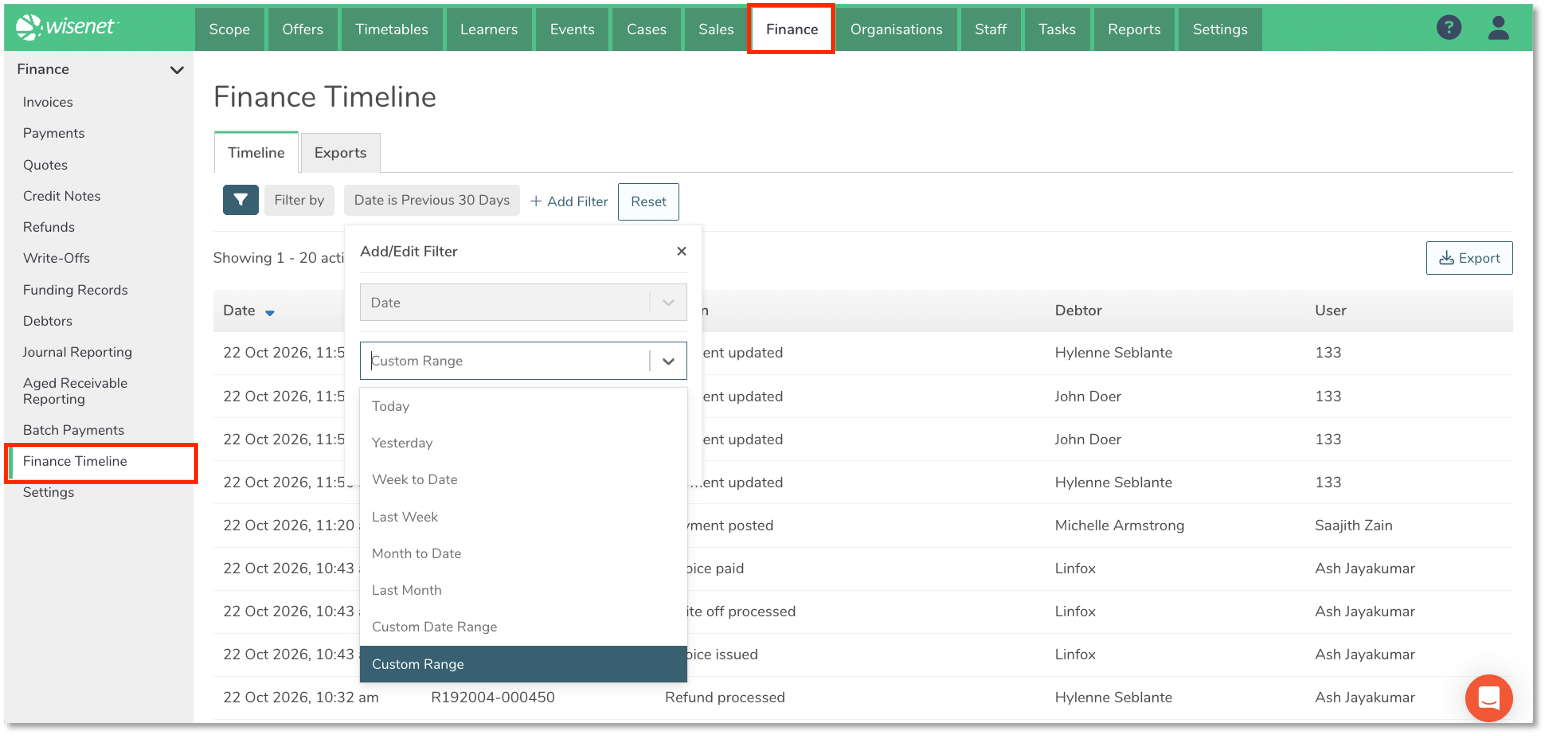
Keep journal exports reviewable
Journal export history shows who created each export, when it was created, the period covered and the number of records. A new export includes transactions not already covered by an earlier export. If an exported transaction changes and your accounting system needs the updated information, re-export the journal report.
Learn more Journal Reporting

These updates build on the work to keep finance activity connected to the learner journey.
On 1 October 2026, Ash Jayakumar hosted a webinar to explore common scenarios and show how Wisenet Finance brings financial processes together to reduce manual effort, strengthen control, and support higher volumes without adding unnecessary administration. You can watch the recording below.